Players Who Paid Soon After Joining: What Kind of Users Are They Now?
An early purchase alone doesn't tell you whether a player is still active and creating value. In Hive Analytics, you can group players who paid after joining with a segment, then compare their latest user classification type and key information in User Activity Tracking. Looking at an individual player's events in chronological order then shows exactly what activity led to their current type.
The Later Value of a Player Is Hard to Read From an Early Purchase
A new player who makes a purchase early on can be seen as a positive signal. But whether they paid early says little about whether they kept logging in and purchasing afterwards, or how much they contribute to the game today.
Players who joined and paid during the same period can go on to behave very differently. Some keep playing and grow into high-value users, while others become less active after their purchase or leave the game. To judge what an early action means, you need to look at the player's current state together with what they did next.
Player Tracking in Hive Analytics
In Hive Analytics, you can connect Segments, User Classification, and User Activity Tracking to see which type players matching specific conditions currently fall into, and what activity flow they showed.
A segment groups the players you want to analyze by combining attribute conditions. Select the conditions you want to check from login, purchase, gameplay, user information, and more, and only players who meet them are set apart for analysis.
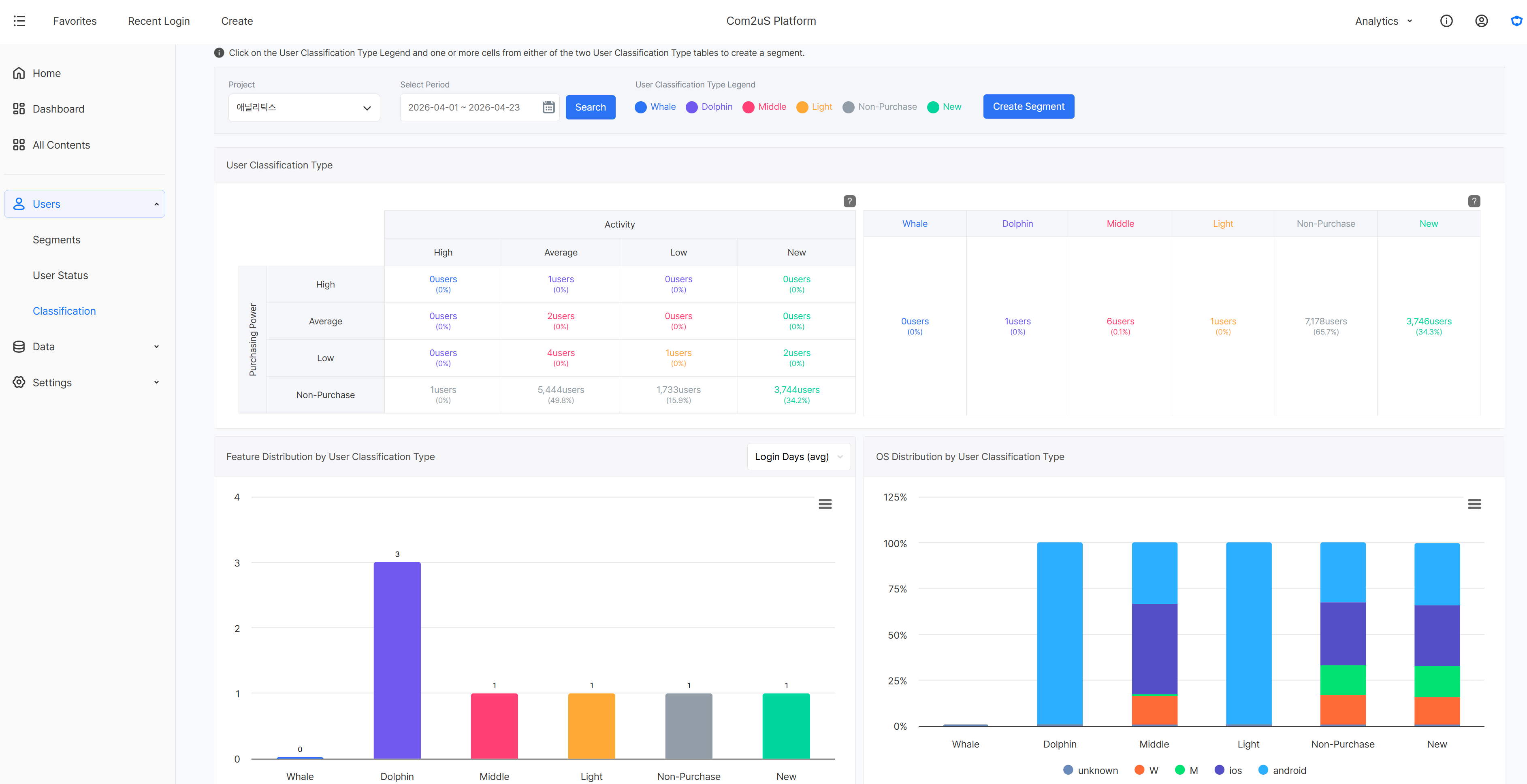
User Classification is a metric that rates players' activity level and purchasing power based on their in-game activity and purchase data, and sorts them into six types according to the combination. A player who meets several criteria is assigned the higher type.
- Whale users: players with high activity and high purchasing power
- Dolphin users: players with high activity or high purchasing power (or both)
- Middle users: players with average activity or average purchasing power (or both)
- Light users: players with low activity and low purchasing power
- Non-paying users: players with no purchase history, regardless of activity
- New users: players who first joined on the reference date, regardless of purchasing power
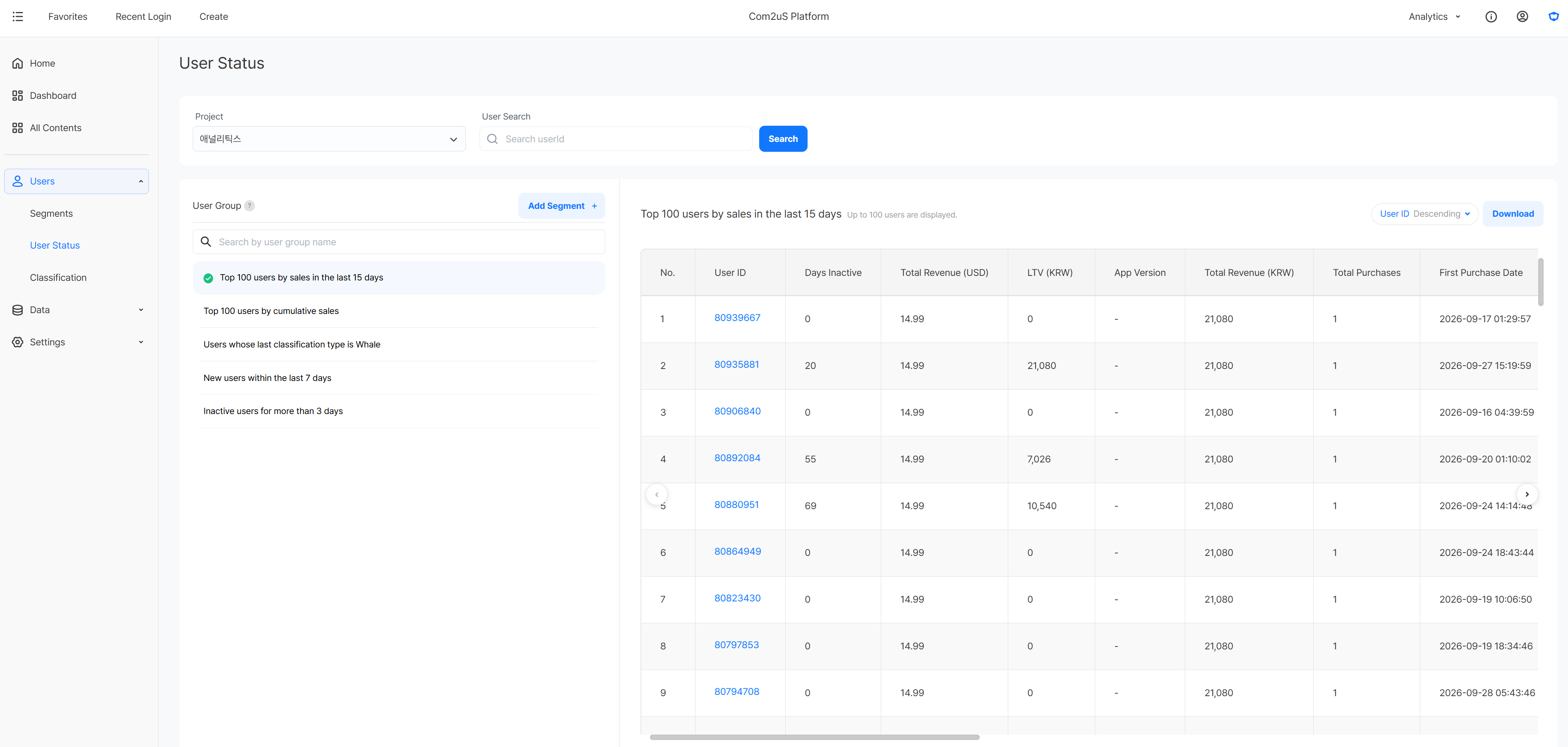
User Activity Tracking compares the latest information of players grouped by a segment and shows the events a specific player triggered in chronological order. On an individual player's screen, you can check the user classification type and user information as of the last day of the selected period, so you can connect the current type of a player who took a certain action in the past with what they did afterwards.
Checking the Current State and Behavior of New Paying Players
First, extract the players who match your conditions with a segment. Then check their current user classification type in User Activity Tracking, and look at what activity individual players continued with afterwards.
Extracting Players Who Paid After Joining
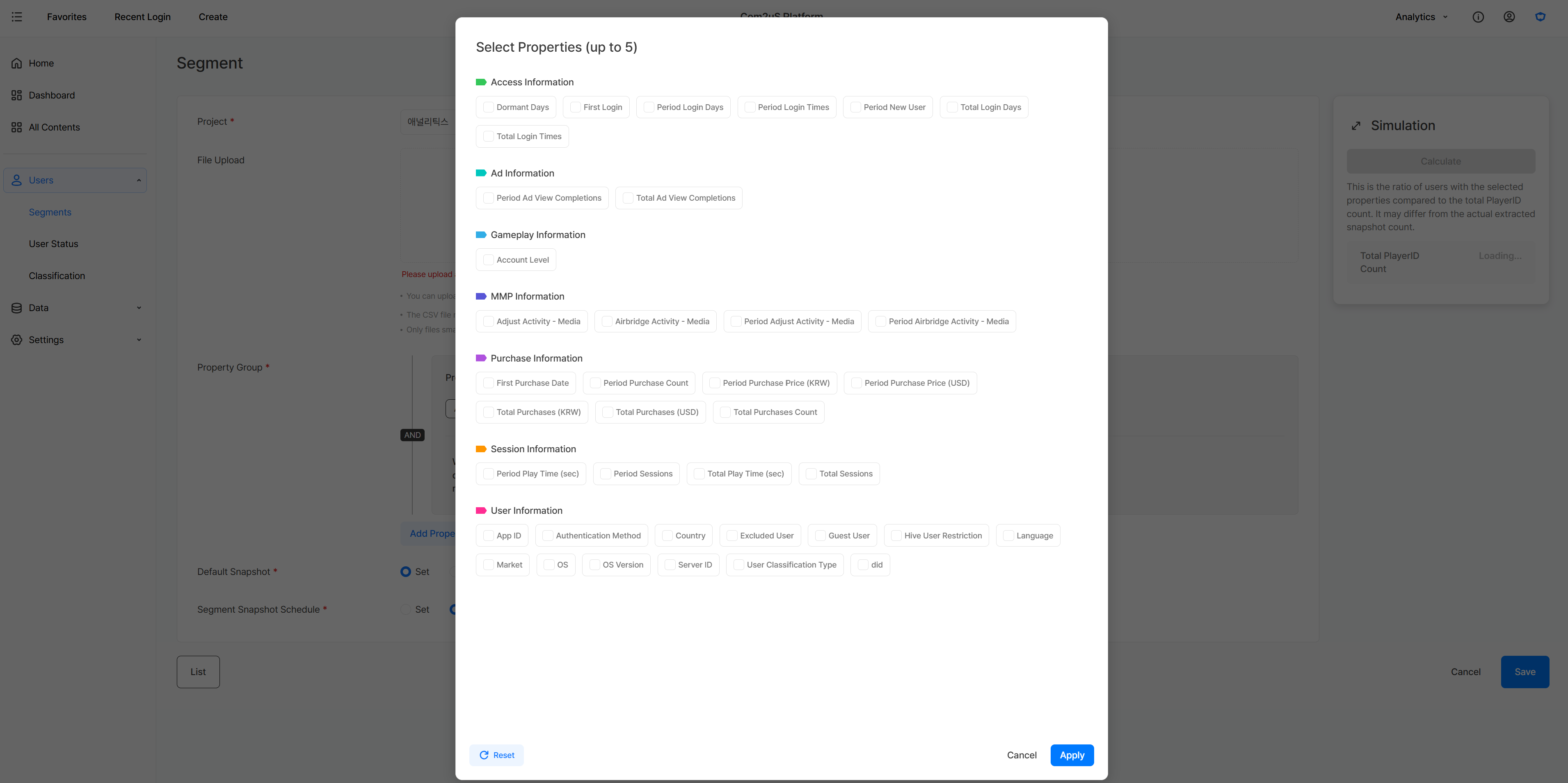
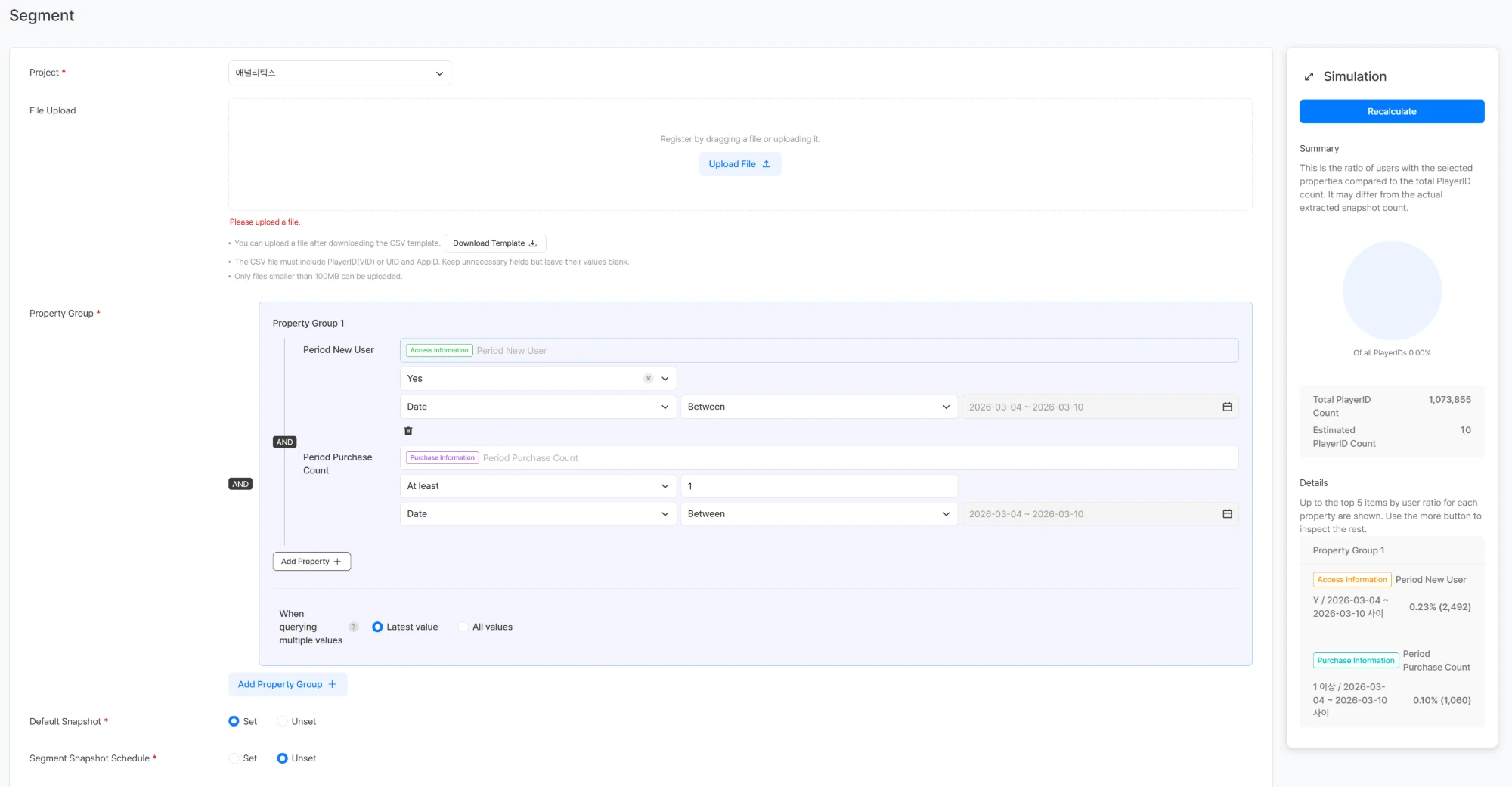
To find players who were new and made at least one purchase in the same period, set the Period New User and Period Purchase Count conditions together in a segment and create it. In this article, the segment is named NPU (New Paying User). These conditions find players for whom both joining and purchasing happened within the selected period; they do not mean only players who paid on the day of their first login.
Checking the Current User Classification Type
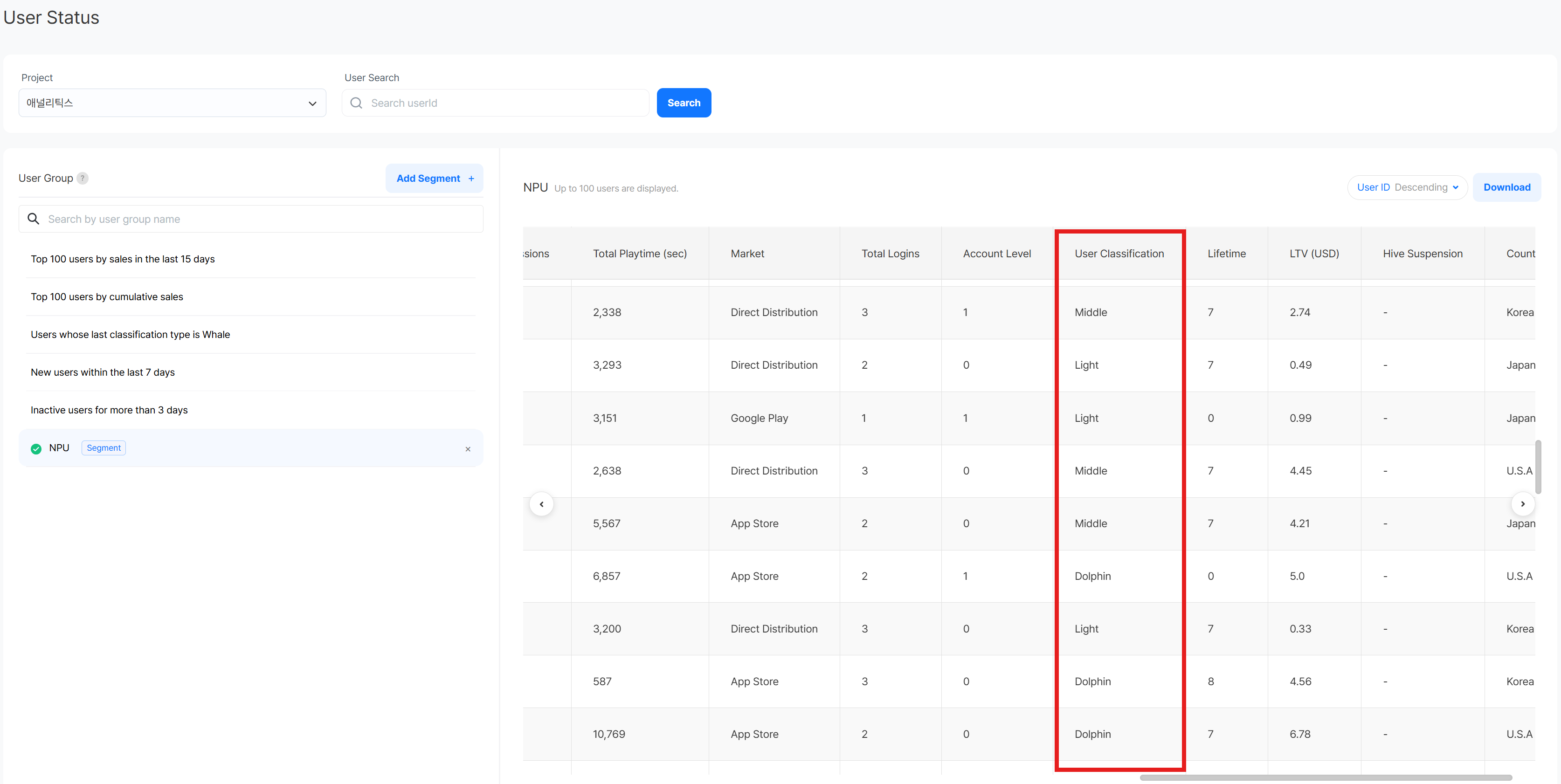
Next, add the NPU segment as a user group in User Activity Tracking. You can compare the latest information of the players in that group, such as user classification type, LTV, total logins, account level, and playtime, on a single screen.
This lets you check whether any early-paying players have grown into whale or dolphin types, and pick out players who need VIP management or further analysis.
Looking at a Player's Behavior Flow
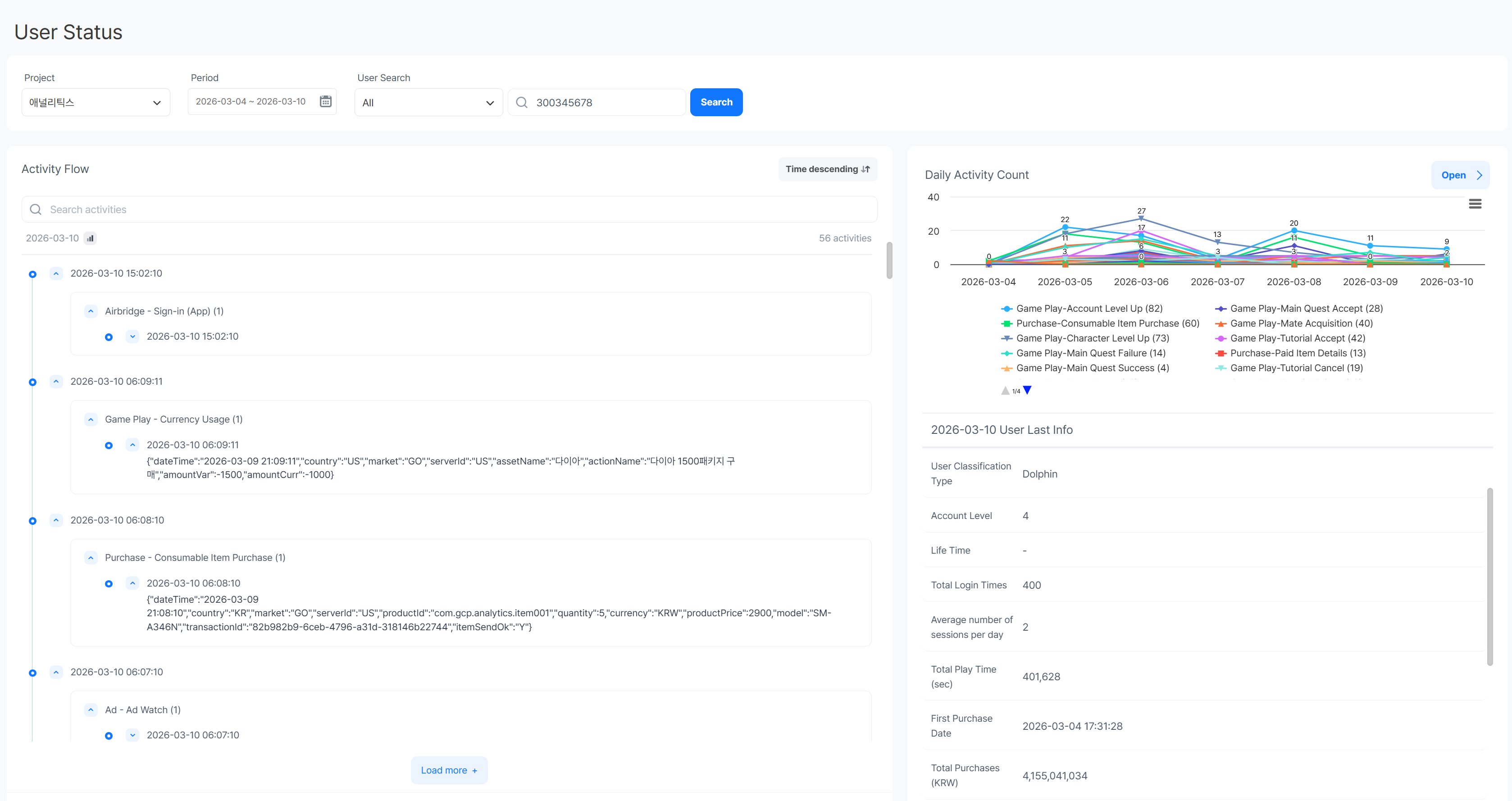
Next, to see an individual player's activity flow, search for a player classified as a dolphin in User Activity Tracking. Select the player to see the events they triggered, their daily activity count, and their user information as of the last day of the selected period. Click an event's timestamp in the activity flow to see the detailed attribute values of that event.
Checking whether logins and purchases repeated after the first purchase, and which content and currencies the player used, shows in concrete terms the activity that led to their current user type. These results can serve as a reference for understanding individual players' behavior and reviewing how to manage players with similar characteristics.
Get Started With Hive Analytics
Players who start out with similar behavior can change into different types over time. By building your analysis target with a segment and connecting current state with individual events in User Activity Tracking, you can understand the later value of early-paying players in much more concrete terms.
Hive Analytics is a game-specialized analytics solution that lets you build user groups that match your conditions and trace individual players' activity flow, based on game data collected through the Hive SDK. Use Hive Analytics now to look at the current state and next actions of the player groups you care about.