Checking Segment Purchase Retention in Natural Language: Using Hive Axyl Plugin, Part 4
After finding a change in overall metrics, you need to fix the related user group as the analysis target and check how that group’s repeat purchases or return visits continue over time. With Hive Axyl Plugin installed in ChatGPT, you can specify user conditions in natural language to create a Hive Analytics segment and then build retention for that segment. Before saving, the plugin shows the conditions, target, and save location to apply and creates the content only after you approve. In this part, we build purchase retention for a segment of paying users in the US on the GO market.
Checking the Repeated Behavior of a User Group
In “Summarizing Key Dashboard Changes in Natural Language: Using Hive Axyl Plugin, Part 3”, we summarized the key changes on a dashboard and the items that contributed to them in natural language. In this part, we look at how to specify the user conditions found during analysis in natural language to create a segment, and then check that group’s repeat-purchase flow with retention.
After identifying a meaningful change in overall metrics, data analysts need to look separately at the follow-up behavior of the related user group. Using segments and retention together lets you fix users who meet specific conditions as the analysis target and check how that group’s repeat purchases or return visits continue over time.
This helps you separate group-level differences hidden behind the overall user average and compare questions such as whether paying users in a specific country and market keep purchasing afterward on the same basis.
Creating Segments and Retention in Hive Analytics with Natural Language
With Hive Axyl Plugin installed in ChatGPT, you can specify user conditions in natural language to create a Hive Analytics segment and then build retention for that segment. The base event and return event of the retention, the query period, and the display format are also specified through conversation.
Before saving a segment or retention, the plugin first shows the conditions, target, and save location to apply. Each piece of content is created only after you review and approve the configuration.
- Specify segment conditions: Define the conditions of the users to analyze in natural language.
- Create the segment: Check the conditions and the expected number of users, then save the segment and its snapshot.
- Build retention: For the created segment, set the base and return events, the period, and the display unit.
- Approve and save: Check the retention configuration and whether a duplicate exists, approve it, and check the result screen.
Note
For how to install the plugin and set up MCP members for your organization, see “Querying Game Metrics and Checking Changes in Natural Language: Using Hive Axyl Plugin, Part 1”.
Creating Purchase Retention for US·GO Paying Users
In the Part 3 dashboard summary, revenue and ARPPU in the US on the GO market changed significantly, and high-value purchases of a specific product emerged as the main item to check. To see whether that change was limited to one-off purchases or whether purchasing continued afterward, we create a segment of US·GO paying users and build purchase retention for it.
Creating the segment to analyze
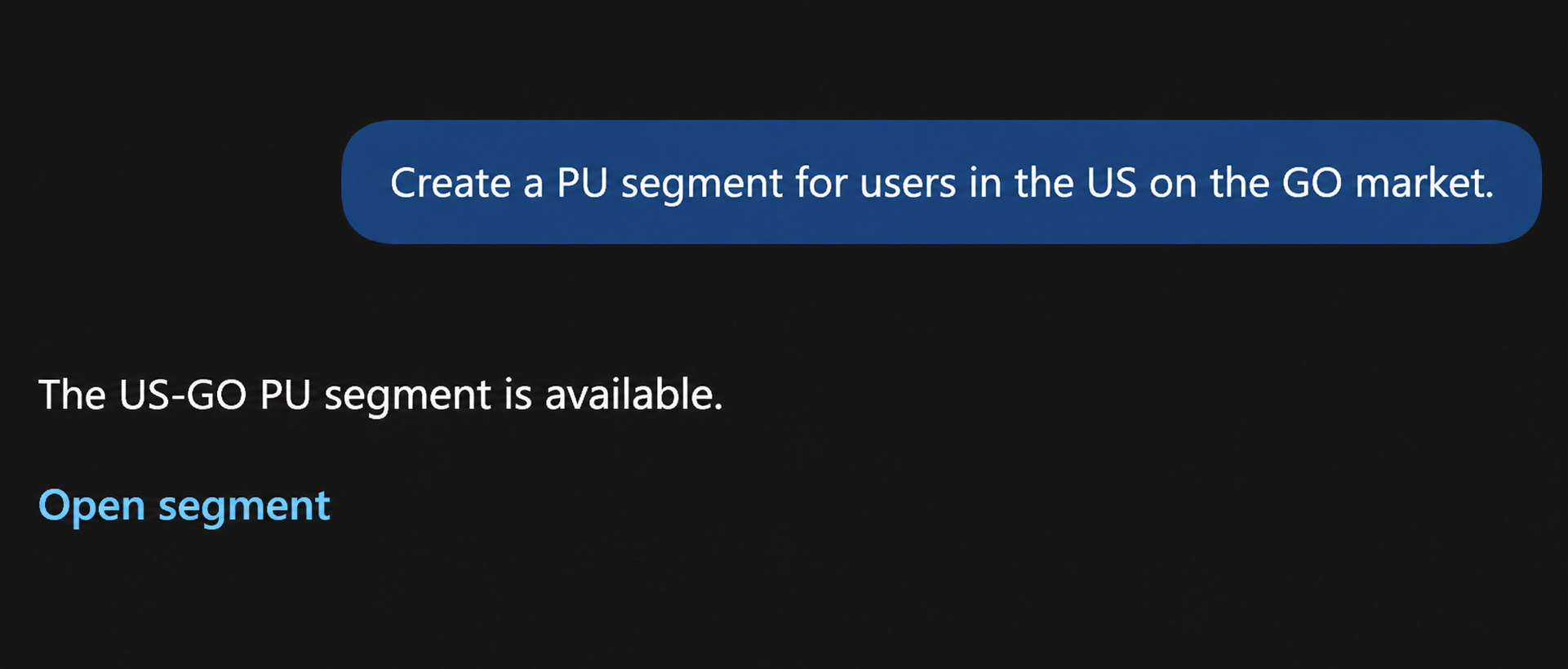
Create a PU segment for users in the US on the GO market.
The plugin creates a segment of US·GO paying users using the requested country, market, and payment status as conditions, and provides a link to the created segment.
Creating purchase retention
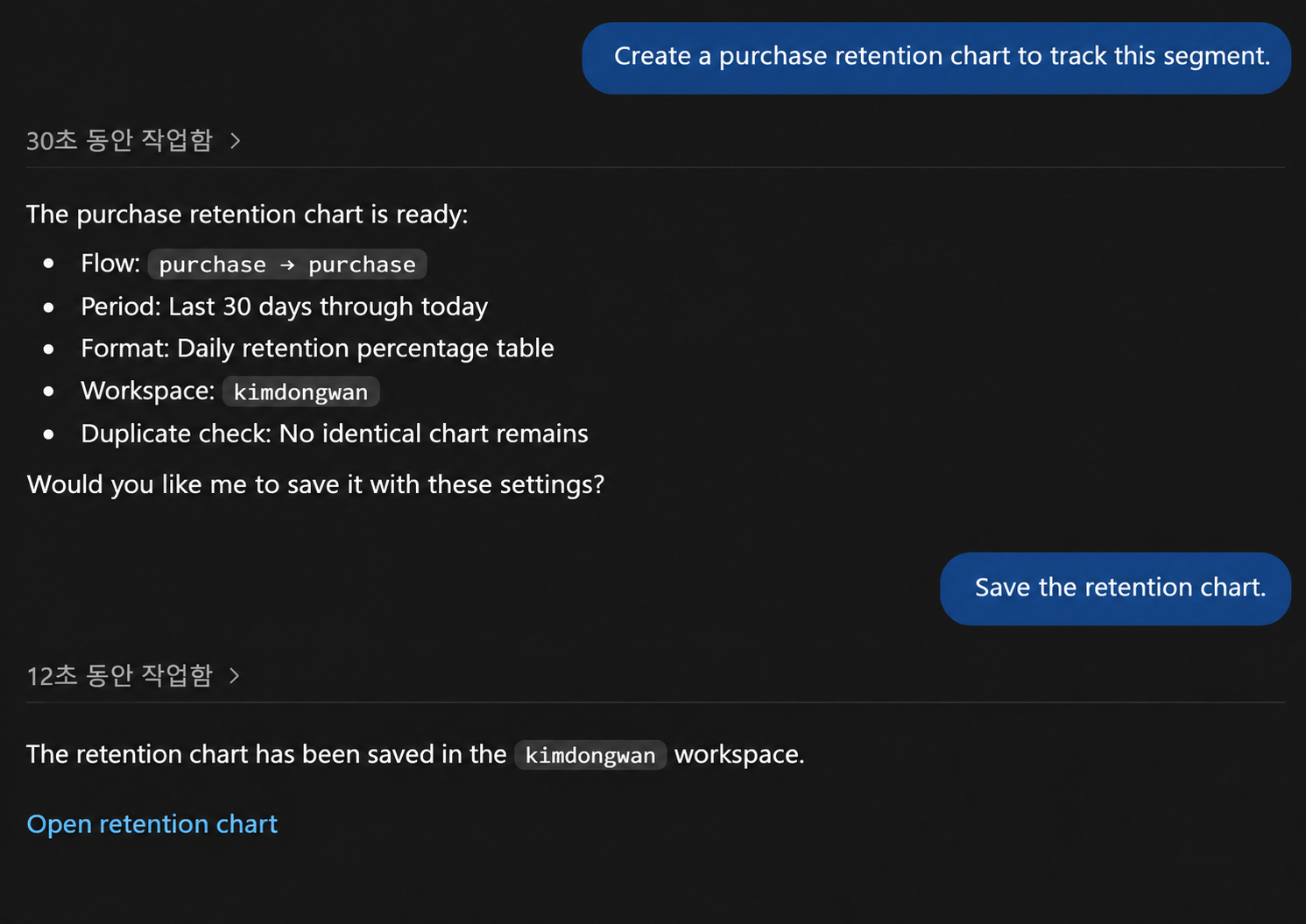
Create a purchase retention chart to track this segment.
For the created segment, the plugin proposes a retention configuration that sets both the base event and the return event to purchase and shows the daily repurchase rate over the last 30 days. Once you review and approve the name, period, target segment, display format, and save location, it saves the retention and provides a link to the result screen.
By checking this retention regularly, you can keep track of the repeat-purchase flow and turning points of US·GO paying users on the same basis.
Getting Started with Hive Analytics
With Hive Axyl Plugin, you can create user segments from the conditions found in analysis and build retention in natural language to check repeated behavior such as purchases and return visits for that group.
Hive Analytics is a game-focused analytics solution that lets you divide users into groups based on events collected through Hive SDK and analyze repeated behavior with retention. Install Hive Axyl Plugin in ChatGPT now and build purchase retention for the segments you care about in Hive Analytics.