Connecting MMP and Game Events to Track User Behavior
You need to look at acquisition data and game events together to see user behavior after acquisition. Hive Analytics supports Airbridge, AppsFlyer, and Adjust integrations, letting you analyze connected MMP events alongside game events in charts, funnels, and retention.
Acquisition and In-Game Behavior Live in Separate Analytics Environments
To see what in-game behavior ad-driven users lead to, you need to look at acquisition data and game events together. An MMP (Mobile Measurement Partner) tracks installs and ad channel/campaign data, while a game analytics environment tracks behavior like logins, purchases, and content usage — so the two data sets end up in separate analytics environments.
Marketing Performance You Need to Track Beyond Acquisition
Marketers need to check not only how many users a channel or campaign brought in, but also whether those users actually logged in, purchased, and returned to the game. If a high install count doesn't translate into a first purchase or a return visit, it's worth revisiting user quality by channel and your follow-up operations.
Connecting acquisition events with in-game behavior lets you pinpoint where conversion drops off and which channels' users stick around longer. You can use this to prioritize campaign budget, targeting, and follow-up messaging.
MMP Integration in Hive Analytics
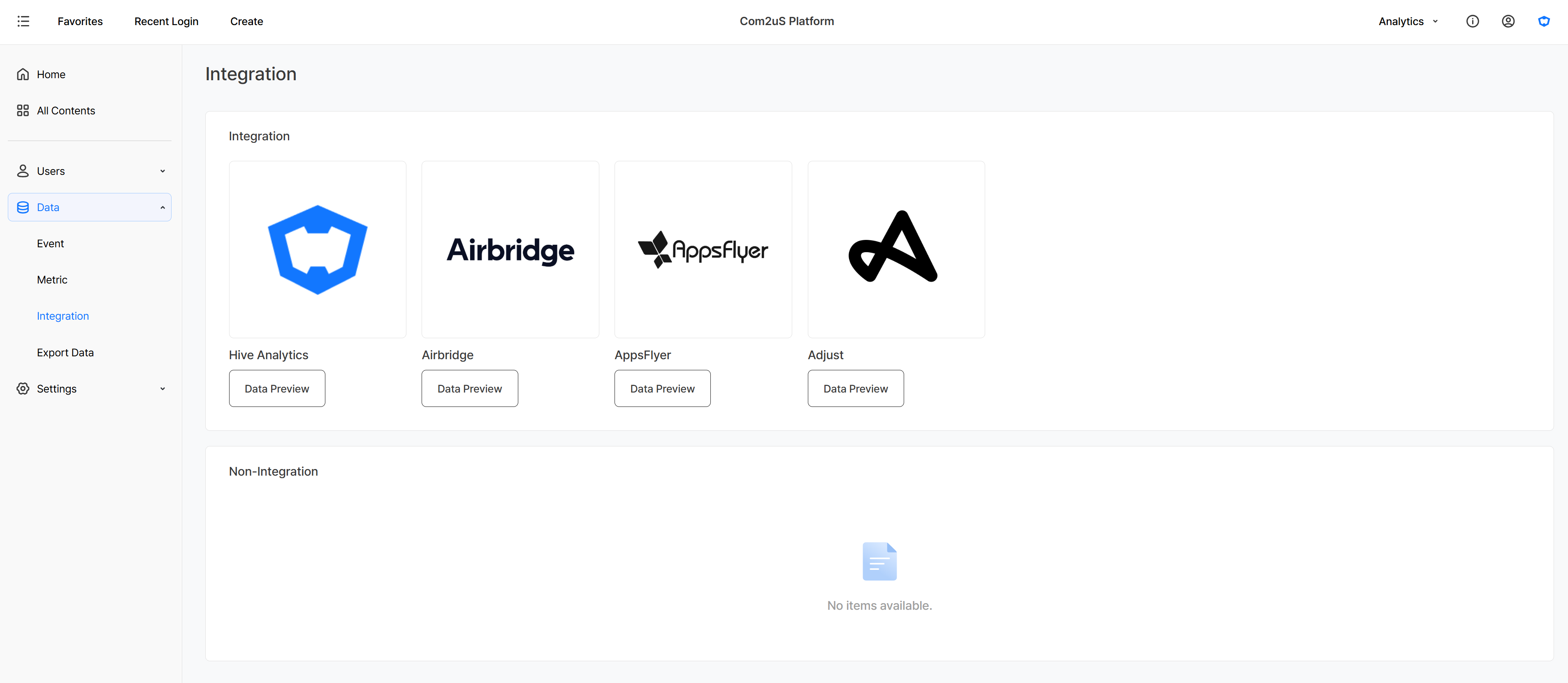
MMP integration in Hive Analytics lets you check Airbridge, AppsFlyer, and Adjust integration and event collection status in one place. Once connected, you can check and analyze MMP events in Analytics without switching to the MMP console.
You set up Airbridge under Hive Console > Marketing Attribution > Airbridge Settings, while AppsFlyer and Adjust receive events through postback setup. Integration cards are shown under either the Connected or Not Connected section depending on status, and clicking a card's data preview button shows the collected events.
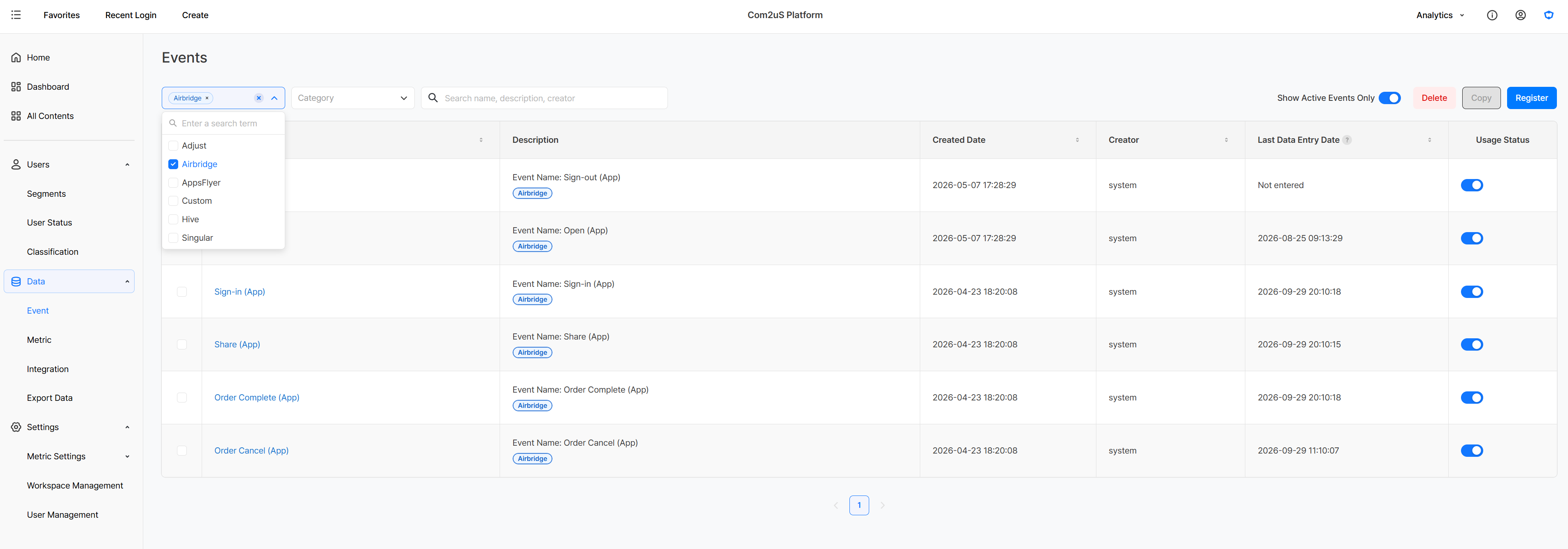
MMP events are collected using the exact eventName as set, and distinguished by the _dataSource attribute in hiveAttributes, which holds the MMP's product name. In the Analytics Events screen, you can search by data source using the MMP's product name to see the list of collected events. Collected events can be set as a chart measure, a funnel step, or a retention base/return event, so you can analyze MMP events on their own or combine them with game events like login and purchase.
Using MMP Events in Analytics
Check user scale with MMP events, and combine them with game events to look at the conversion flow after acquisition.
Checking User Count with MMP Events
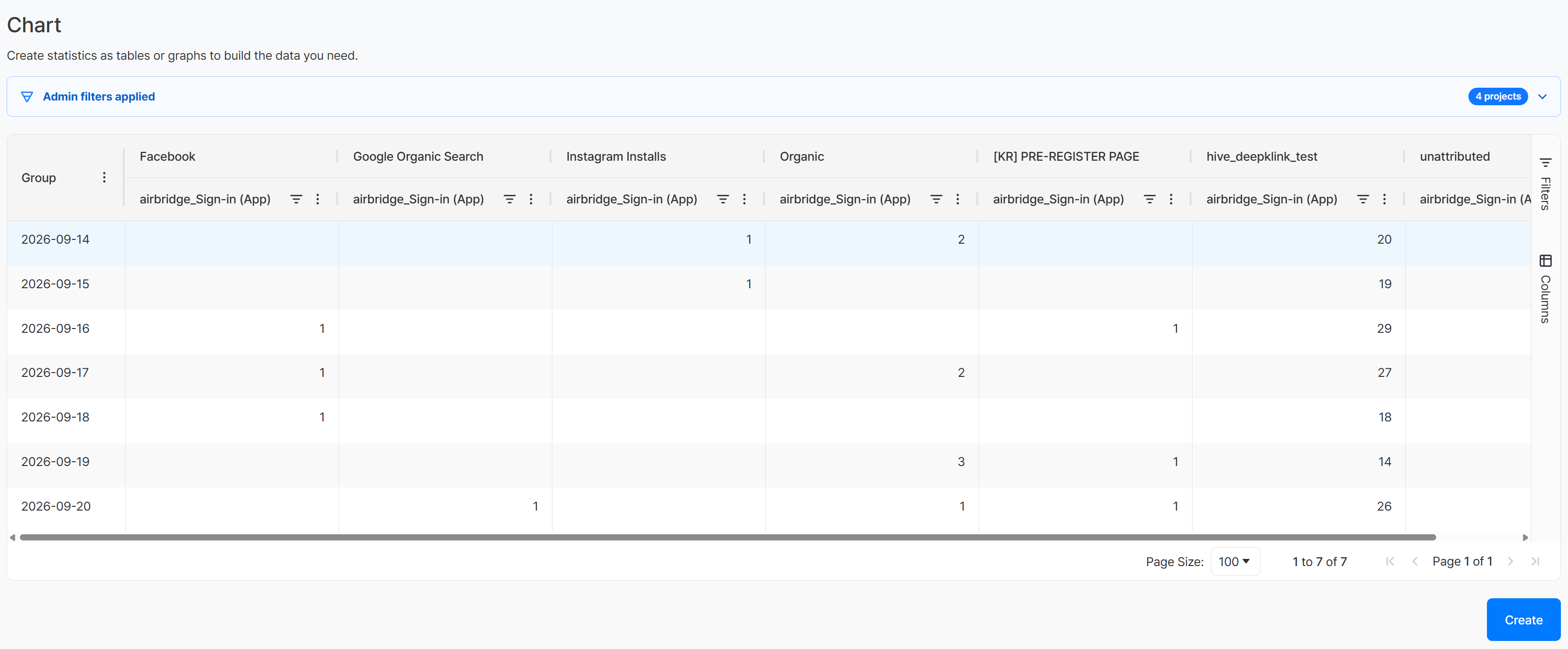
Once MMP integration is complete, you can use MMP events in charts, funnels, retention, and more. For example, setting the Sign-In event collected from an MMP as a chart measure lets you check the number of users by date. Adding ad channel as a dimension lets you compare, on one screen, how many users triggered the Sign-In event by acquisition channel — such as Facebook, Google Organic Search, or Organic.
Connecting MMP Events with Analytics Events
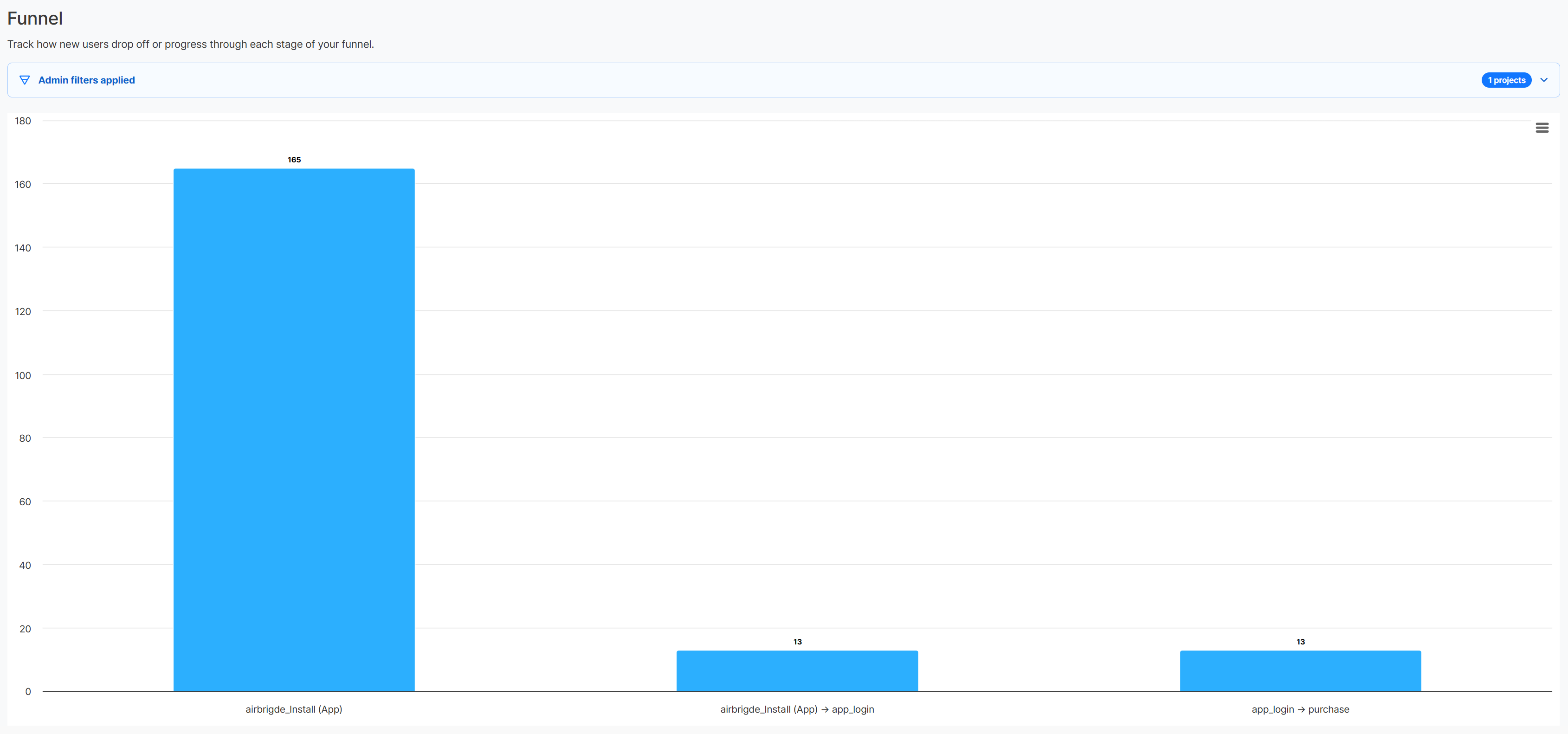
You can combine MMP events with Analytics events to view them together on one screen. For example, setting an MMP's Install event as the starting step and adding the login and purchase events collected via the Hive SDK as the next steps lets you see, as a funnel, how acquired users move through to purchase. Splitting results by ad channel also lets you compare which channels stand out in later-stage conversion.
Get Started with Hive Analytics
Using MMP integration, you can follow acquisition data and in-game behavior data in a single analytics flow instead of checking them separately in different analytics environments, covering everything from conversion to return visits.
Hive Analytics is a game-focused analytics solution that lets you analyze game events collected through the Hive SDK alongside connected MMP events. Check your MMP integration status in Hive Analytics now, and continue on to see in-game behavior after acquisition.