Managing Data Access Scope by Assigned Project
Organizations running multiple games need different data access scopes depending on each member's role. Hive Analytics' organization management groups projects and members by organization, letting a data administrator configure access scope for each role without setting permissions user by user. You can split organizations by game or create one organization that covers multiple games, and adjust only the organization's member list whenever the person in charge changes.
Data Access Needs Change as You Run More Games
In organizations running multiple games, members need different projects and data depending on their role. A member in charge of a single game needs that game's metrics, while a member overseeing several games needs to check performance across all of them together. If someone can view data for projects outside their responsibility, their access no longer matches their actual role, so access control needs to follow work responsibility.
Data Administrators Manage Member and Project Permissions Together
To do this, a data administrator groups permissions by organization and project instead of setting them for each user individually, so members can access the data they need for their work. Assign the relevant project to each game's organization, and give members who cover multiple games the projects that match their scope.
When responsibilities change due to a reorganization or a new project, access permissions need to be adjusted accordingly. Grouping projects and members by organization means you can reflect a changed scope of responsibility directly in the organization's settings and manage a member's data access together.
Organization Management in Hive Analytics
Organization management in Hive Analytics controls project permissions and sets member access scope by organization. The first person to sign in to Analytics can complete the initial organization setup, and is then automatically registered as the Analytics administrator. During initial organization setup, you can configure the organization name, projects, and members to set the data access scope.
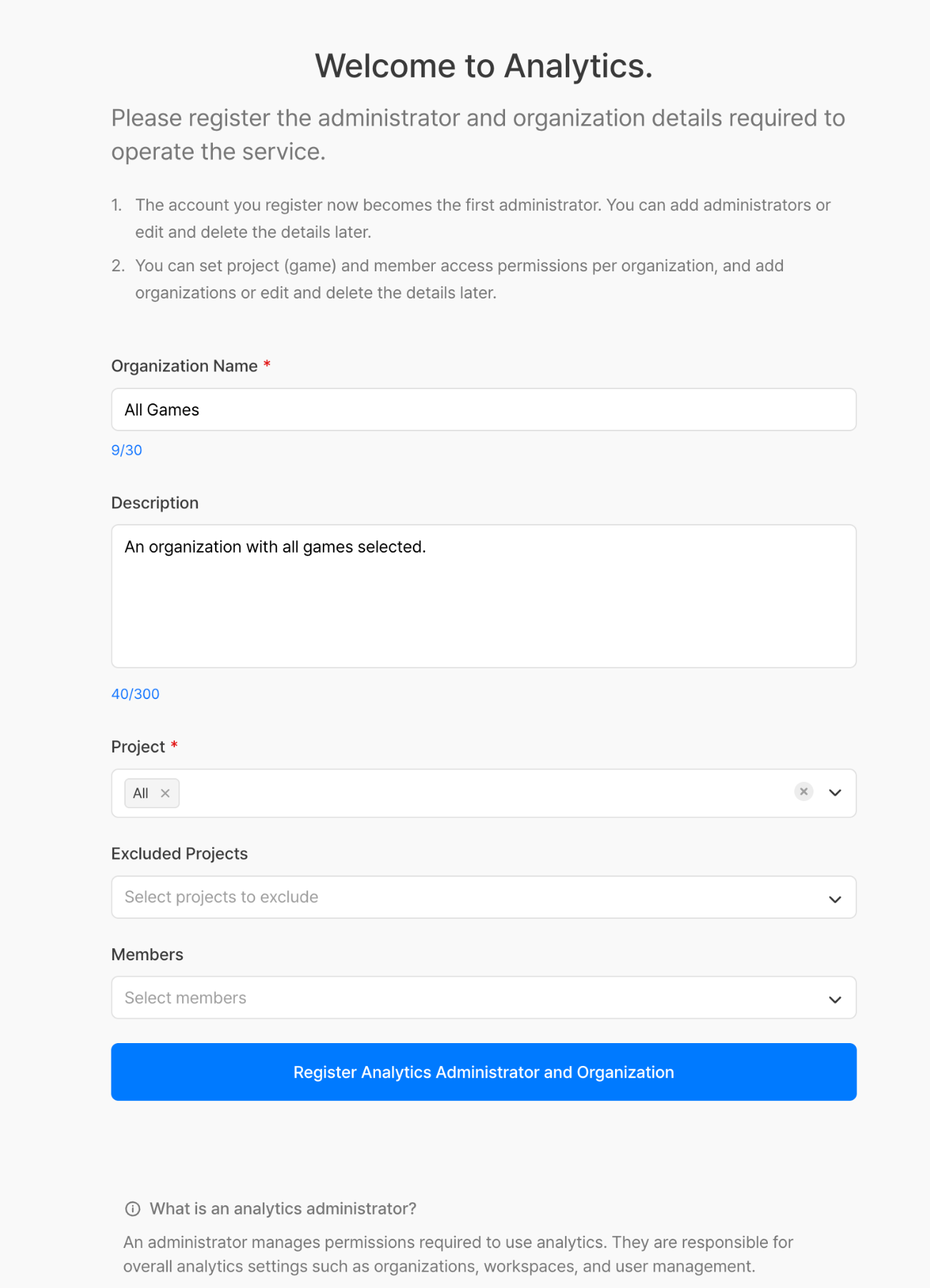
After that, a user with Analytics administrator permission can go to Organization Management from the account menu in the top right to add a new organization or edit an existing one's details. If a group has different projects or members, create a separate organization and assign the projects and members it needs.
The data range a member can view is determined by the projects and members included in their organization. When a new game is added or the person in charge changes, you can edit the projects and members of an existing organization to match the actual scope of work.
Setting Up Organizations to Match Your Team's Responsibilities
Let's look at how to set and change project access scope using a per-game organization and an organization that covers multiple games as examples.
Splitting Organizations by Game
If your team is split by game, you can group each game's project and the people in charge into one organization. For example, register Project A and its team members under the A Game organization.
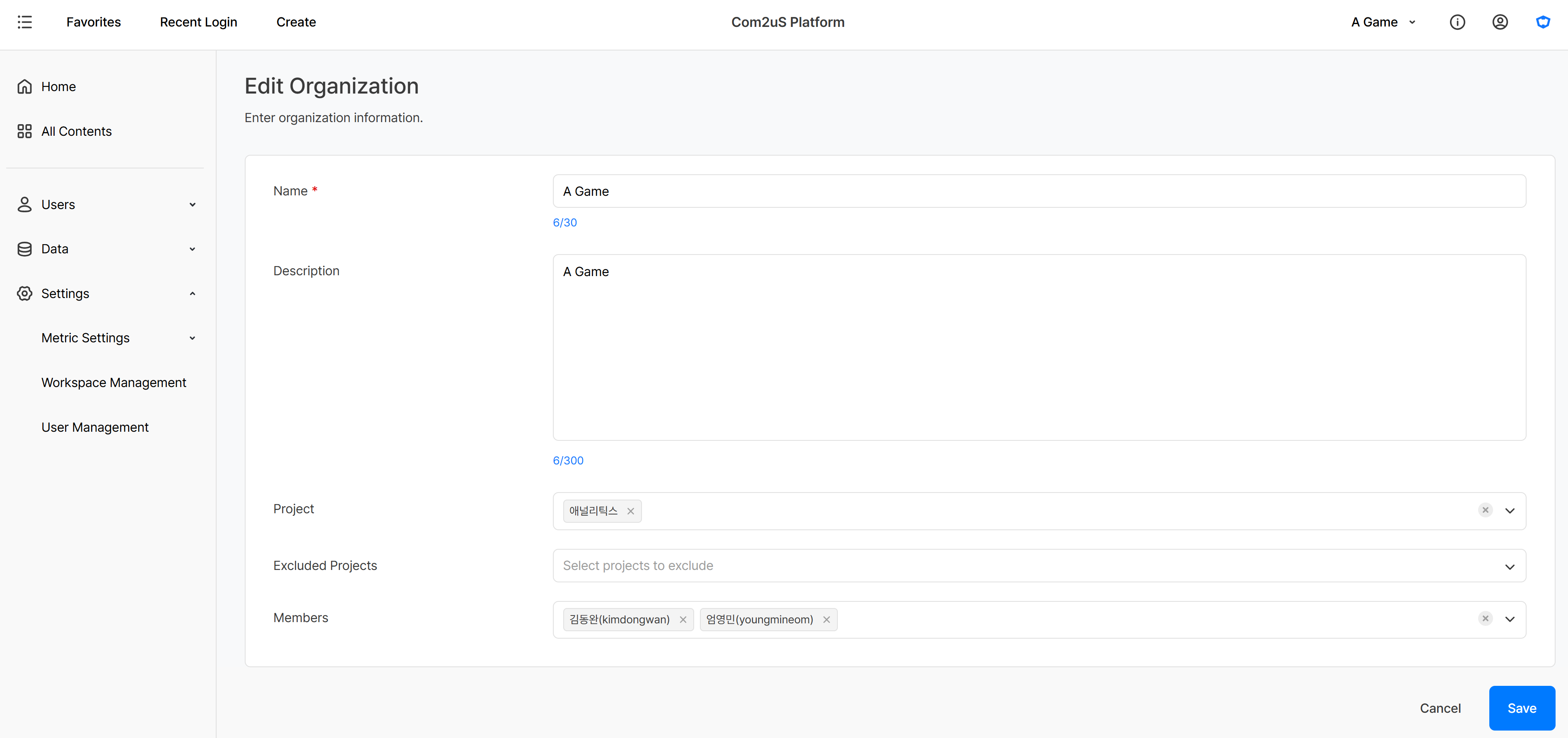
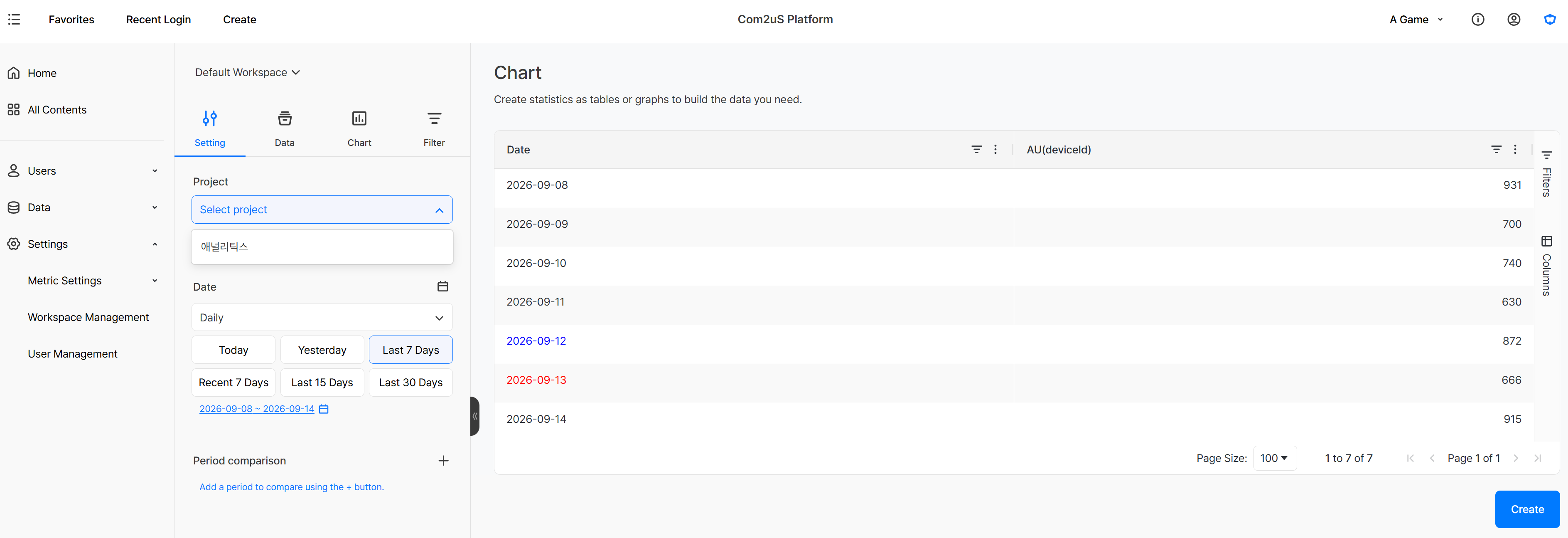
A member registered in that organization can only select Project A across Hive Analytics' data views, including charts. This lets each member run their analysis within the data scope of the game they're responsible for.
Giving Access to Members Overseeing Multiple Games
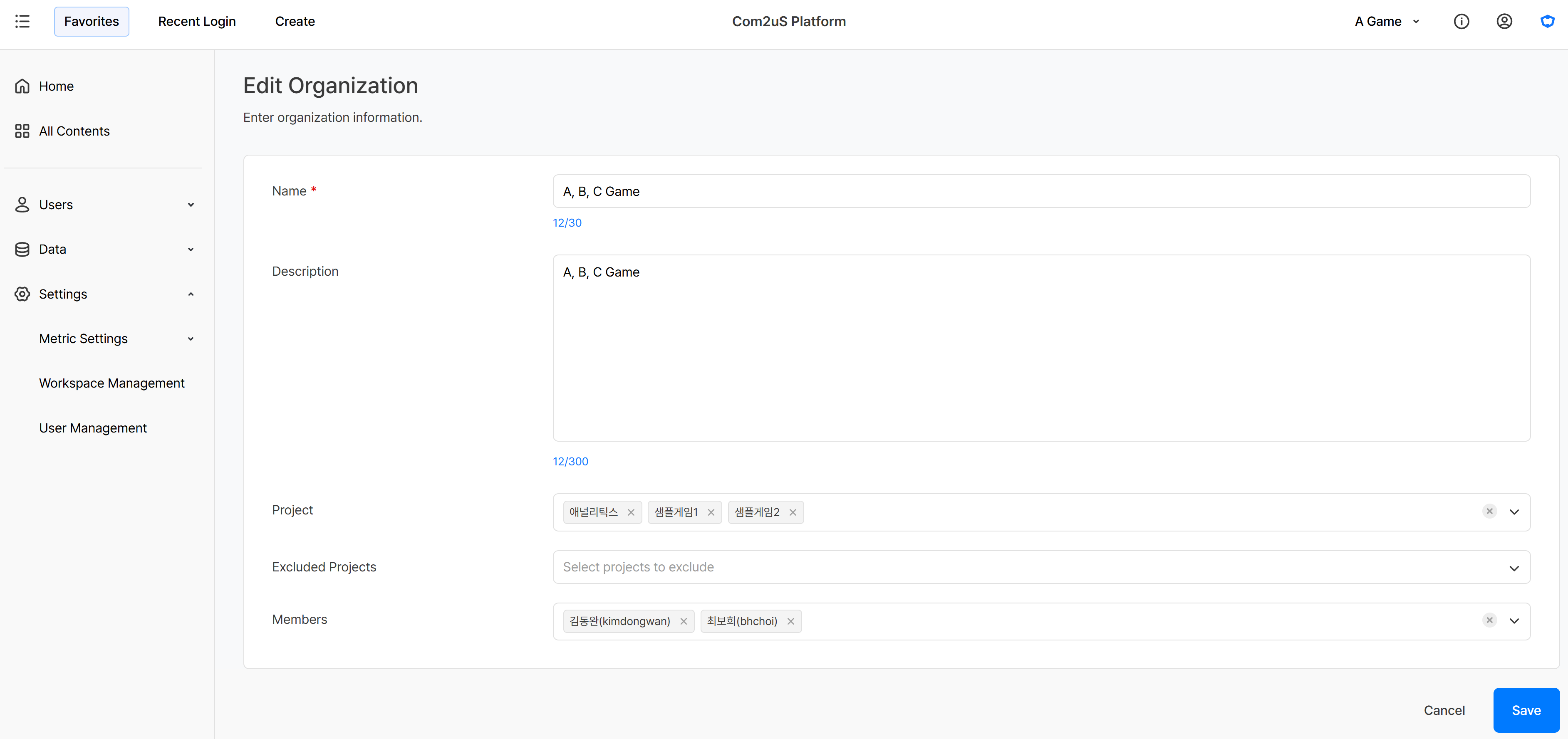
For a member who needs to check the performance of several games together, you can provide an organization that includes every project they need. For example, register a member overseeing games A, B, and C as a member of an organization that includes all three projects, so they can check metrics across all three games.
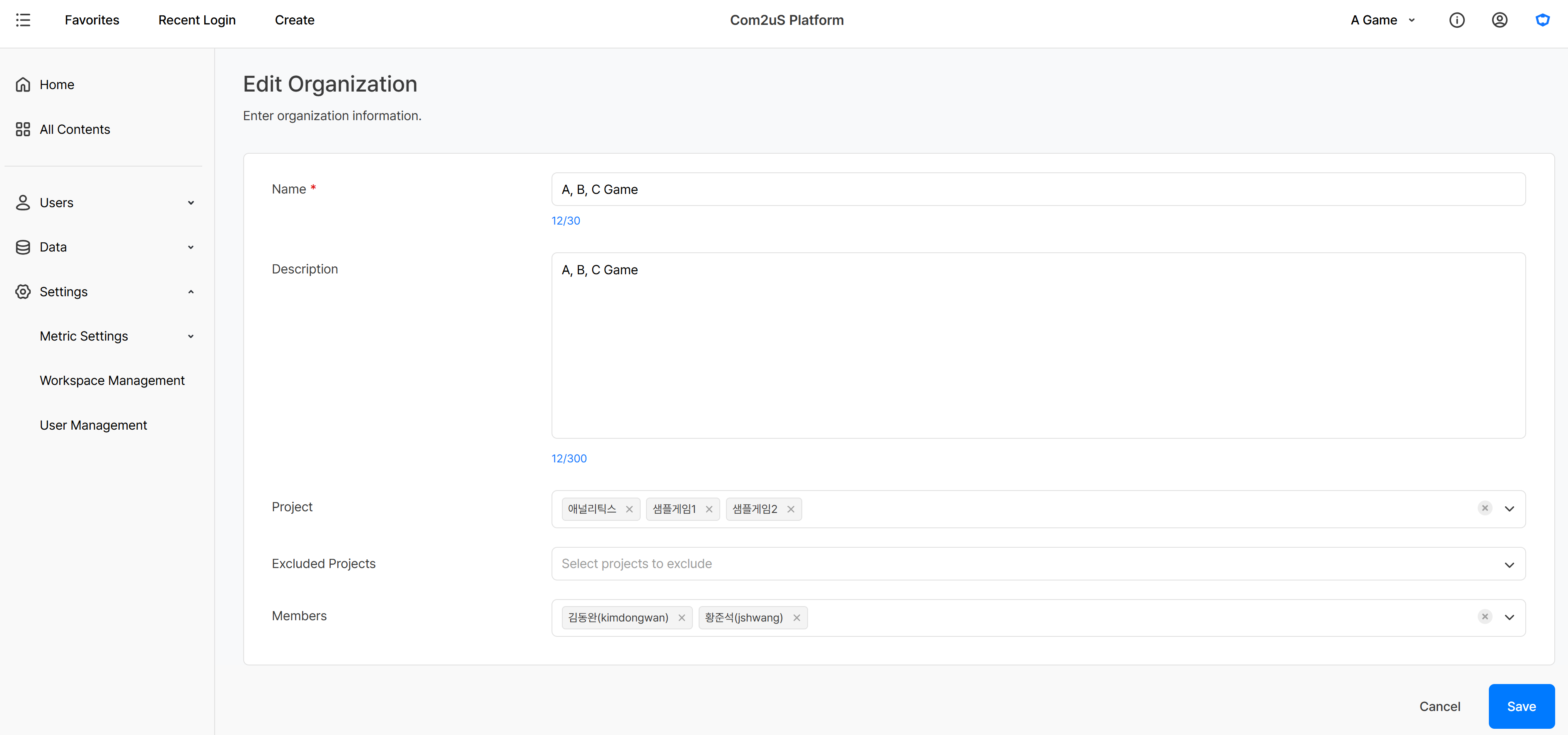
If the existing owner, jshwang, later moves to a different organization and bhchoi takes over games A, B, and C, remove jshwang from the organization's members and add bhchoi. Keeping the project setup as is and only changing the members lets you grant access that matches the new scope of responsibility.
Get Started with Hive Analytics
If you're the first to sign in to Hive Analytics, register your first organization on the initial organization setup screen. After that, you can add or edit organizations from Organization Management in the account menu based on the games and members each one covers.
Hive Analytics is a game-focused analytics solution that provides data collected through the Hive SDK according to each organization's project permissions, helping members focus on the metrics for the games they're responsible for. Start configuring your projects and members by organization now with Hive Analytics to manage data access that matches your team's responsibilities.