Revenue in Different Currencies, at a Glance
Running several games, or serving one game across multiple countries, means each market generates revenue in a different currency, making direct comparisons difficult. Hive Analytics' Currency Settings let an organization register in advance the currencies it will use for revenue analysis — apply the registered currencies to a chart to convert revenue from multiple games and countries to a single standard for comparison, or split the same revenue across multiple currencies.
Running several games, or serving one game across multiple countries, means each market generates revenue in a different currency. To see overall performance, you need to look up exchange rates, convert each currency, and add the totals back together. Repeating this for every analysis screen or report means the same revenue can come out differently depending on which rate and reference point was used. Re-checking and reconciling the numbers adds even more time to analysis and reporting.
A Game Business Needs a Consistent Standard for Judging Performance
Business managers need to tally total revenue across several games in the currency the organization uses, while also checking country- and market-level performance in local currency. Which currency standard is needed changes with the purpose — management reporting, reviewing performance by game, or analyzing a local market.
A result converted to a single standard alone makes it hard to see both overall business performance and each market's perspective together. Being able to switch the same revenue data into the currency that fits your analysis purpose lets you interpret and share performance from the view you need, without repeating separate calculations.
Currency Settings in Hive Analytics
Currency Settings in Hive Analytics is a feature that manages, at the organization level, which currency standard to use when viewing revenue metrics. It offers a total of 162 currencies, including KRW, USD, and JPY, so you can select the currencies your organization mainly uses and make them available as a currency option on charts.
Exchange rates use the previous month's average rate as published by Hana Bank. For example, August revenue metrics apply July's monthly average rate, and September revenue metrics apply August's. This lets you view a given month's revenue on a consistent basis, reducing the risk that the conversion standard shifts when comparing performance across games and countries.
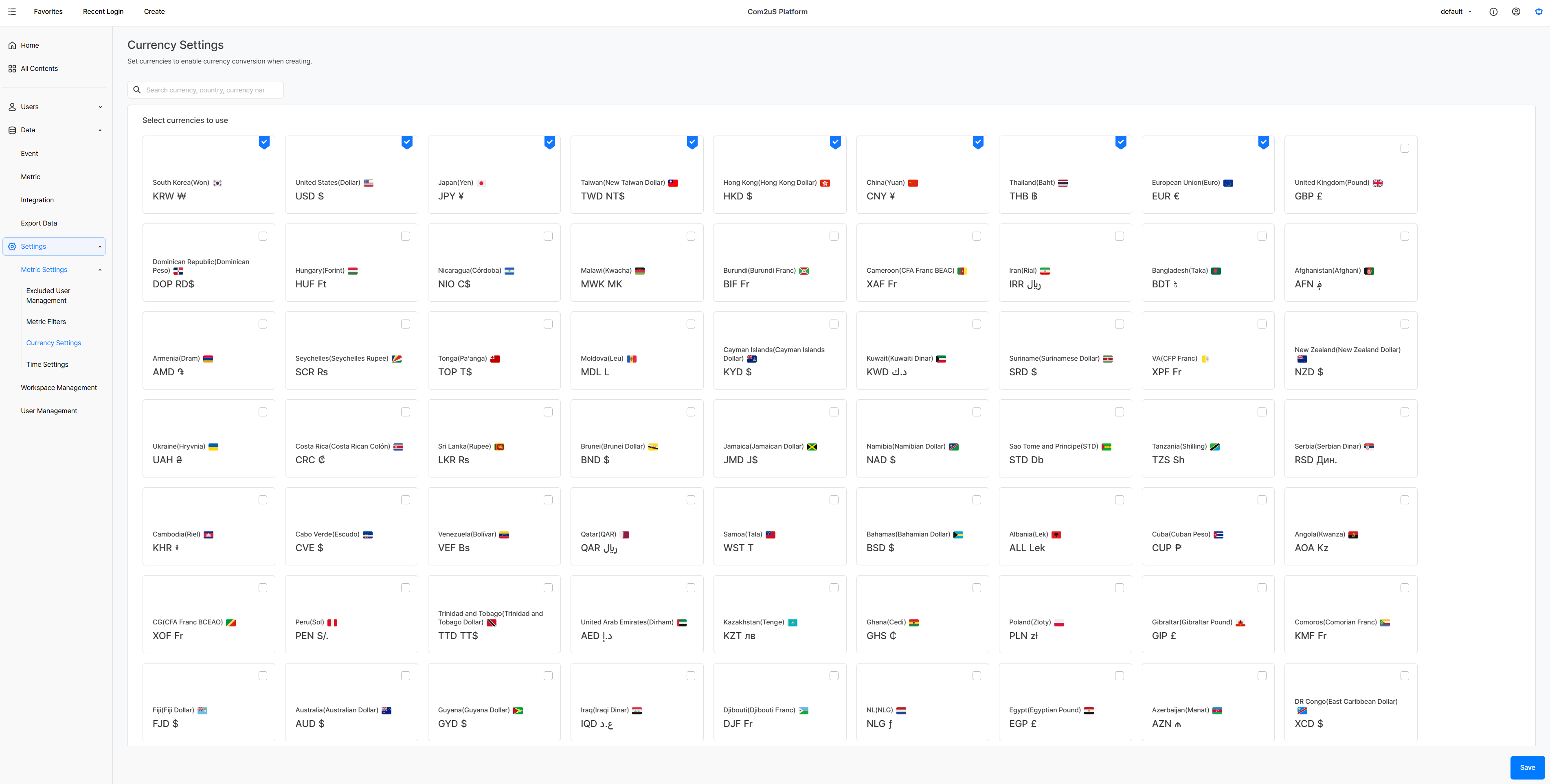
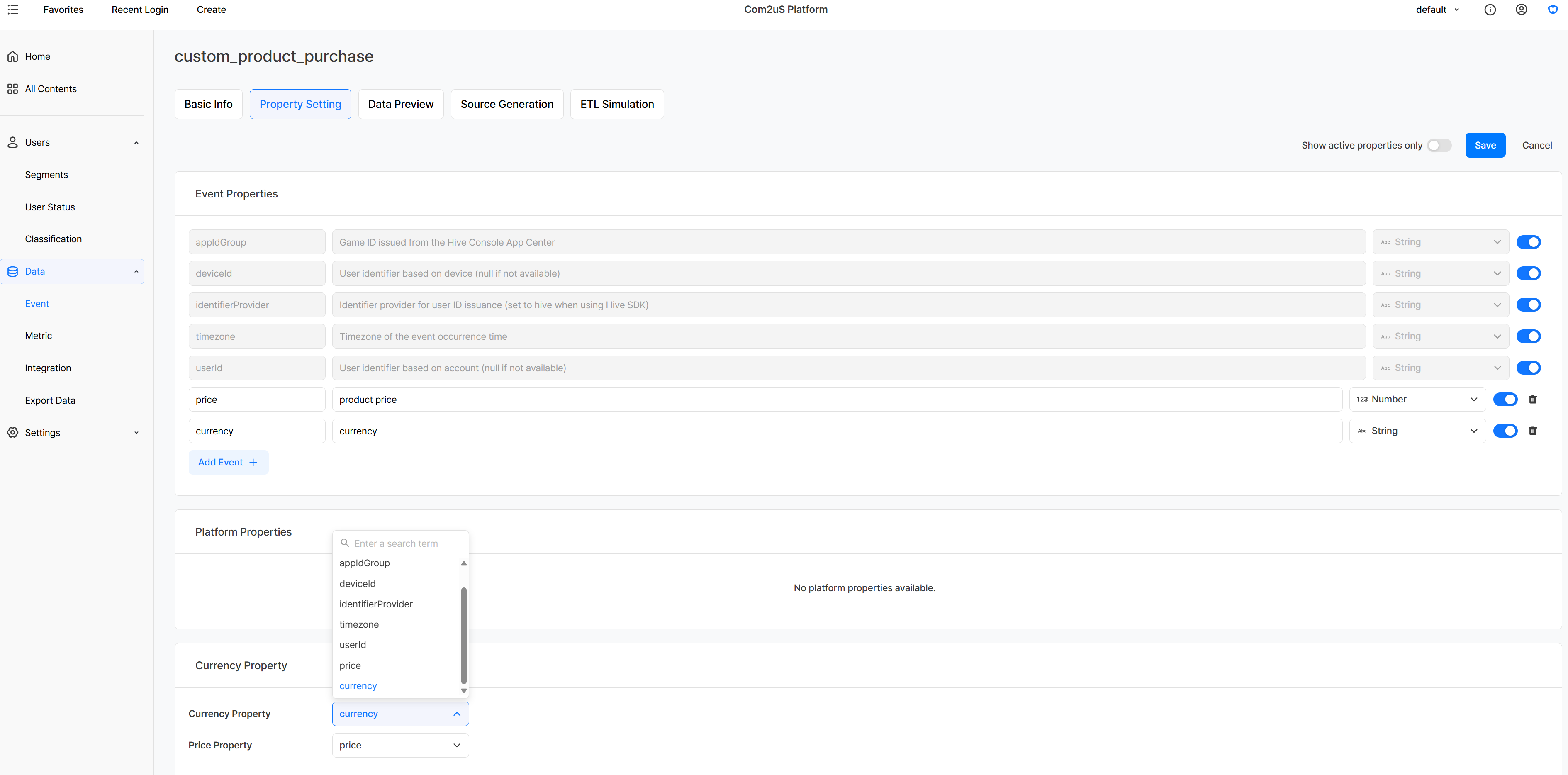
Currency options are available for metrics that use an amount property. Along with purchase events collected automatically through the Hive SDK, purchase events your game sends directly can also be used in revenue analysis once you set a currency property and an amount property.
Viewing Game Revenue on a Consistent Currency Basis
With Currency Settings, you can compare revenue from multiple games and countries on a consistent basis, or break the same revenue metric down into the currencies you need.
Checking Total Revenue Across Multiple Games
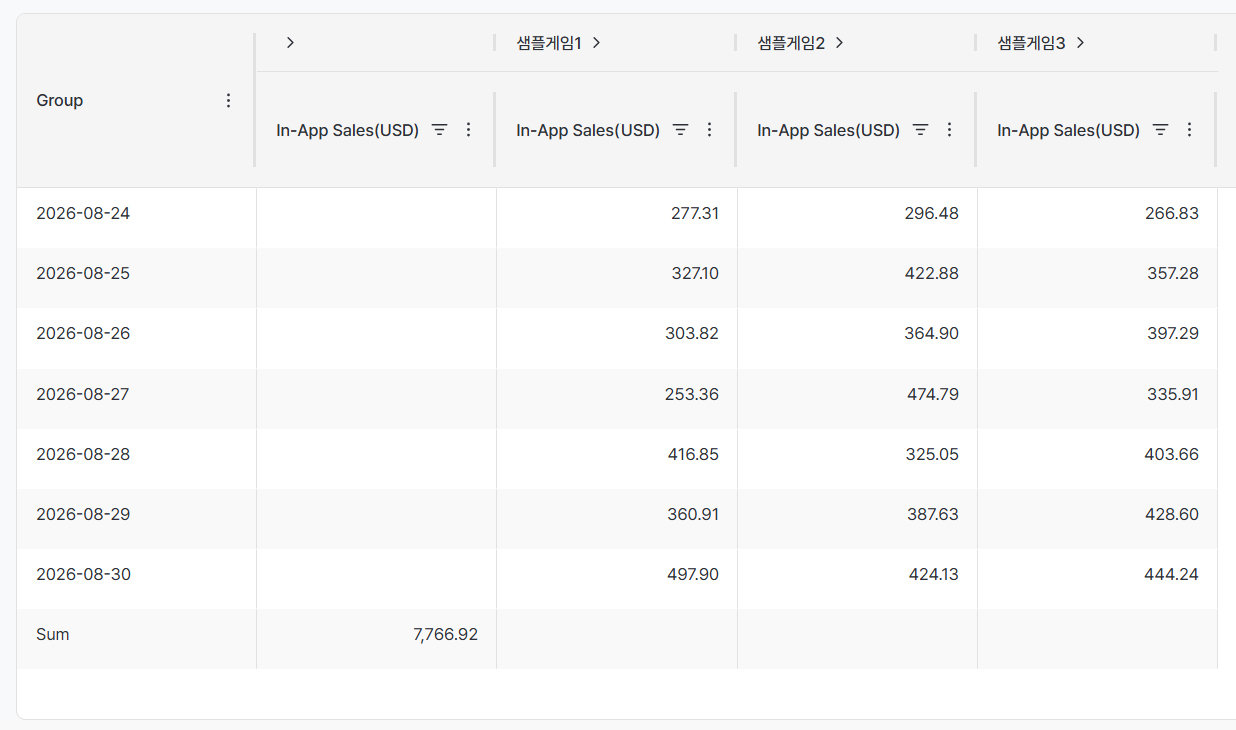
Running several games means each one can generate revenue in a different currency. Applying the same currency standard to each game's revenue metric and building it into a dashboard lets you see overall revenue flow and each game's performance on one screen. You can compare each game's revenue size and change on a consistent basis without converting the different units separately.
Comparing Revenue by Country
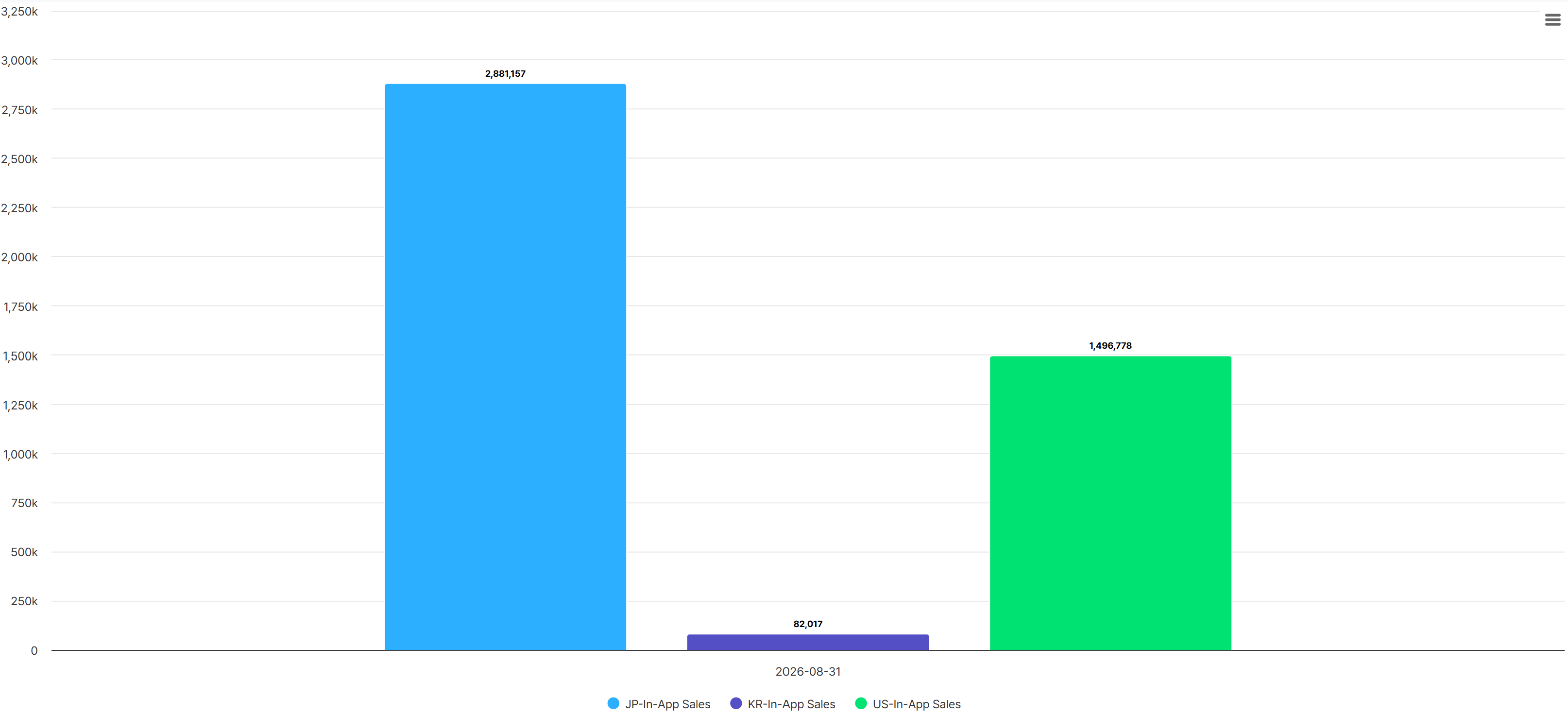
When one game serves multiple countries, you can split by country as a dimension and convert revenue to a common currency for comparison. This lets you see which country generates the most revenue without being affected by differences in currency units.
Viewing the Same Revenue in Multiple Currencies
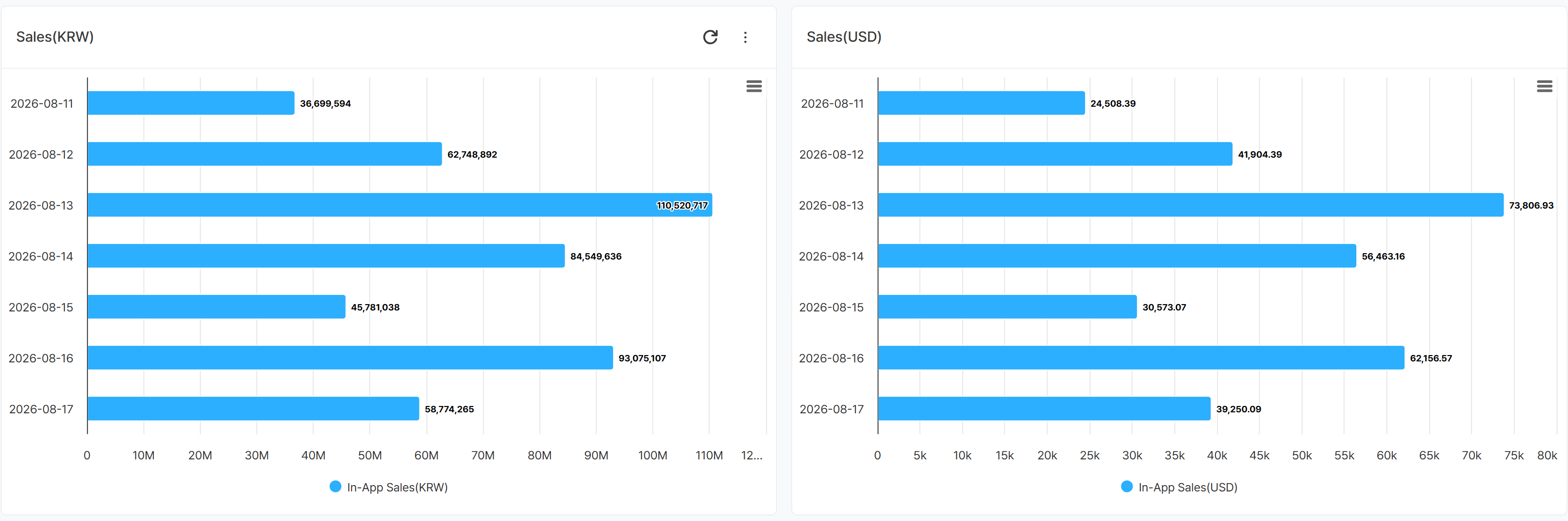
When needed, you can build the same revenue metric into multiple charts and set a different currency option for each. Show one in the currency your organization uses as its standard, and the other in a currency used in a specific market, so you can view overall business performance and local-market revenue side by side.
Get Started with Hive Analytics
In Currency Settings, you can select the main currencies your organization uses for revenue analysis. Apply the currencies you set to a chart to convert and compare revenue from multiple games and countries on a consistent basis, and build the same metric in different currencies, such as KRW and USD, to view overall business performance alongside local-market revenue.
Hive Analytics is a game-focused analytics solution that converts purchase events — both those automatically collected through the Hive SDK and those your game sends directly — into your chosen currency for analysis in charts and dashboards. Start now with Hive Analytics to check revenue from multiple games and countries on a consistent basis.